
Amazon Pricing Badges Explained: What Actually Shows on Search Results
Most Amazon sellers think promotions equal visibility.
They don’t.
You can stack:
Deals
Coupons
Promotions
Discounts
And yes, they can all apply at checkout.
But on Amazon search results?
Amazon decides what actually shows.
That decision directly impacts:
Click through rate
Conversion rate
Perceived value
If the badge does not show, it does not influence the buyer.
And that is where most sellers get this wrong.
What Actually Shows on Amazon SERP
From real listings and breakdowns like the one shown in your visual guide , Amazon consistently prioritizes certain pricing signals over others.
Here is the hierarchy that matters.
1. Deal Badges Take Priority
These are the red tags like:
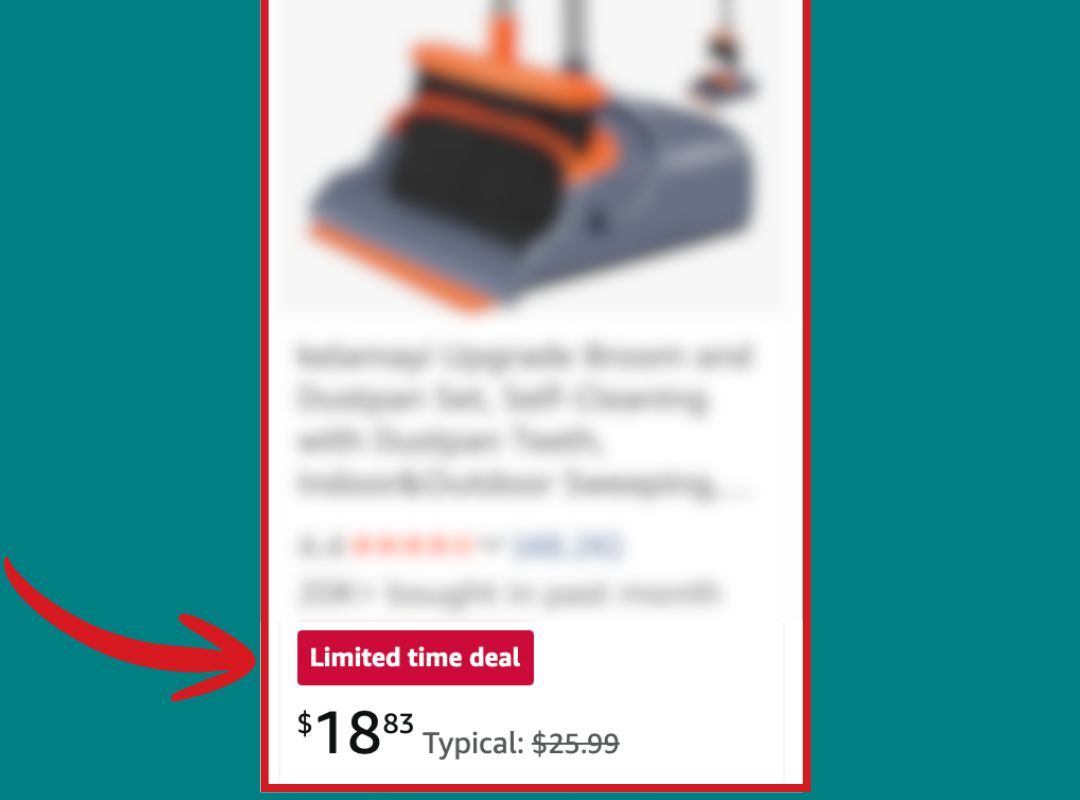
Limited time deal
Best Deal
Deal of the day
They dominate visibility.
They can also stack with a secondary badge, often something like Subscribe and Save or a multi buy offer.
This creates a powerful combination:
Red deal tag plus green savings tag
This is one of the highest converting visual combinations on Amazon.
2. Coupons Override Most Promotions
If no deal is present, standard coupons typically take priority.
That means:
Multi buy promotions
Tiered discounts
Percentage off promos
Often get hidden on search results.
Even though they still apply at checkout, customers never see them upfront.
This is a major disconnect.
3. Strike Through Pricing Stacks With Everything
Strike through pricing is one of the most flexible signals.
It can appear alongside:
Deals
Coupons
Prime discounts
Promotions
This makes it one of the most reliable ways to influence perceived value.
4. Some Promotions Do Not Show At All
Certain promotions like BOGO frequently:
Do not display on search results
Only appear deeper in the buying flow
Or get ignored entirely by Amazon’s SERP
That means you can be paying for a promotion that does nothing for click through rate.
The Core Insight
What you set is not what customers see.
What Amazon chooses to display is what matters.
The Main Amazon Pricing Badges Explained
Using your visual breakdown , here are the key price signals Amazon surfaces.
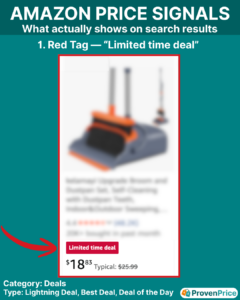
Deal Badge, Red Tag
This includes Lightning Deals, Best Deals, and Deal of the Day.
Example shown in your visual: “Limited time deal” red badge
What It Does
- Highest visibility on search results
- Creates urgency
- Anchors perceived value
Cost
Non peak:
$70 per day upfront
1 percent of sales, capped at $2,000
Peak events like Prime Day:
$500 to $1,000 flat fee
Takeaway
Most expensive, but also the most visible.
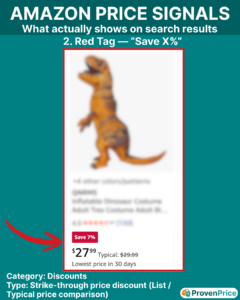
Strike Through Discount, Red “Save X%”
Example: “Save 7%” with a crossed out price
What It Does
- Anchors against a higher reference price
- Increases perceived deal value
- Stacks with almost everything
Cost
Free for standard pricing
Takeaway
High leverage, low cost, very underutilized correctly.
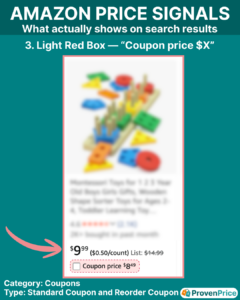
Coupon Badge, Light Red Box
Example: “Coupon price $X”
What It Does
- Adds a visible savings callout
- Boosts click through rate
- Often overrides other promotions
Cost
$5 upfront
2.5 percent of sales, capped at $2,000
Takeaway
One of the cheapest ways to increase visibility.
*Pro-Tip = one coupon can encompass many asin’s and the $5 fee does not increase!
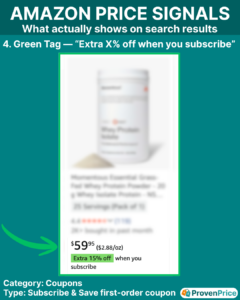
Subscribe and Save Badge, Green Tag
Example: “Extra 15% off when you subscribe”
What It Does
- Signals long term savings
- Encourages repeat purchases
- Can stack with deals
Cost
No direct fee
Margin impact from discount
Takeaway
Powerful for conversion and LTV, not just immediate sales.
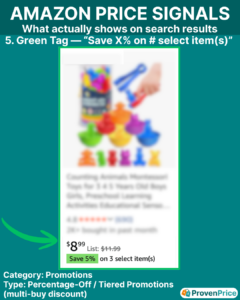
Multi Buy Promotions, Green Tag
Example: “Save 5% on 3 select items”
What It Does
- Increases average order value
- Encourages bundling behavior
Cost
$5 upfront
2.5 percent of sales
Reality
Often hidden if a coupon is active.
Takeaway
Effective in theory, but limited by visibility.
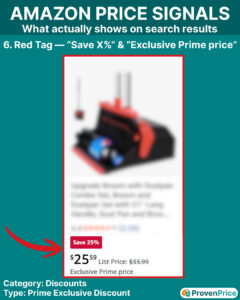
Prime Exclusive Discount
Example: “Exclusive Prime price”
What It Does
- Targets Prime buyers specifically
- Improves conversion within Prime segment
Cost
Free normally
Takeaway
Good for segmentation, but not always visually dominant.
*Pro-Tip = Use during holidays and you can continue to edit inventory allocated to it, which you cannot in a lightning deal!
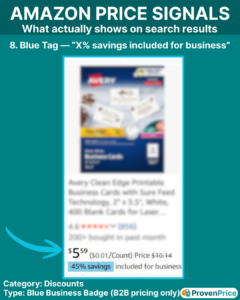
Business Pricing Badge, Blue Tag
Example: “45% savings included for business”
What It Does
- Targets B2B buyers
- Improves visibility in Amazon Business
Cost
No clear direct fee
Margin tradeoff
Takeaway
High impact for B2B focused products.
*Pro-Tip =
To get this, you must add single-unit business prices of at least a 5% discount off standard price,
or add quantity discounts of at least a 3% discount on the first tier.
The Hidden Cost Most Sellers Ignore
The above one that cost, are charged even if nothing sells.
That includes:
Deals
Coupons
And if you stack multiple promotions, you pay multiple fees.
That means:
You can spend money on promotions
That customers never even see
What This Means For Your Pricing Strategy
Most sellers think in terms of:
“What price should I set?”
Better sellers think:
“How will this price appear on search results?”
Because:
A $22 product with a coupon can outperform a $19 product without one
A deal badge can outperform a lower everyday price
A hidden promotion has less of an impact
Pricing is not just a number.
It is a presentation.
Final Thoughts
Amazon’s search results are curated.
Not everything you set gets shown.
The winners are not the sellers running the most promotions.
They are the ones who understand:
What shows
What stacks
What converts
And how pricing and visibility work together.
ProvenPrice helps Amazon brands test pricing strategies in real market conditions and understand how different price presentations impact performance, so you are not guessing what works.